
Count items on a PDF plan
Count items
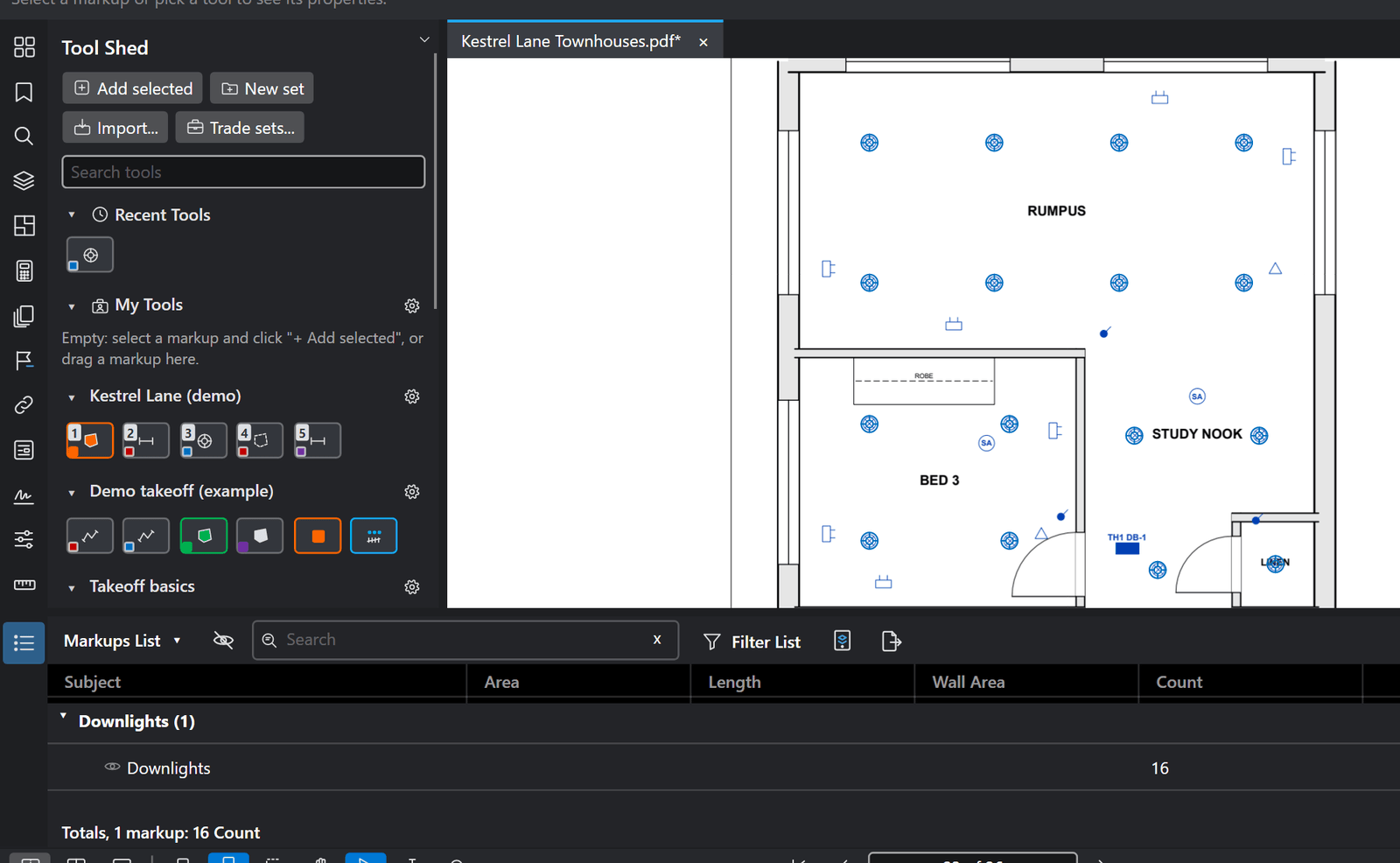
Power points, fittings, anything you count: click each one.
How to
- Choose Tools > Measure > Count (Shift+Alt+C), or a count tool in the Tool Shed.
- Click each item on the plan. Each click adds one to the count.
- Press Enter to finish. The count shows in the Markups List, with totals by subject, page or layer.
Good to know
- Use one count tool per item type (a Tool Shed tool keeps its own colour, symbol and subject), so the totals stay apart.
- Ctrl+Z while counting takes back the last click.
Keys
| What | Keys |
|---|---|
| Count | Shift+Alt+C |
| Finish | Enter |
| Take back the last click | Ctrl+Z |