
Curved sides and arcs in TrueScale™
Curved sides
Curved walls, bay windows, round garden beds: turn any side into a curve and shape it.
How to
- Draw the polylength, area, polyline or polygon with straight sides first.
- Right-click the side to curve and choose Convert to arc. It starts as an even bow.
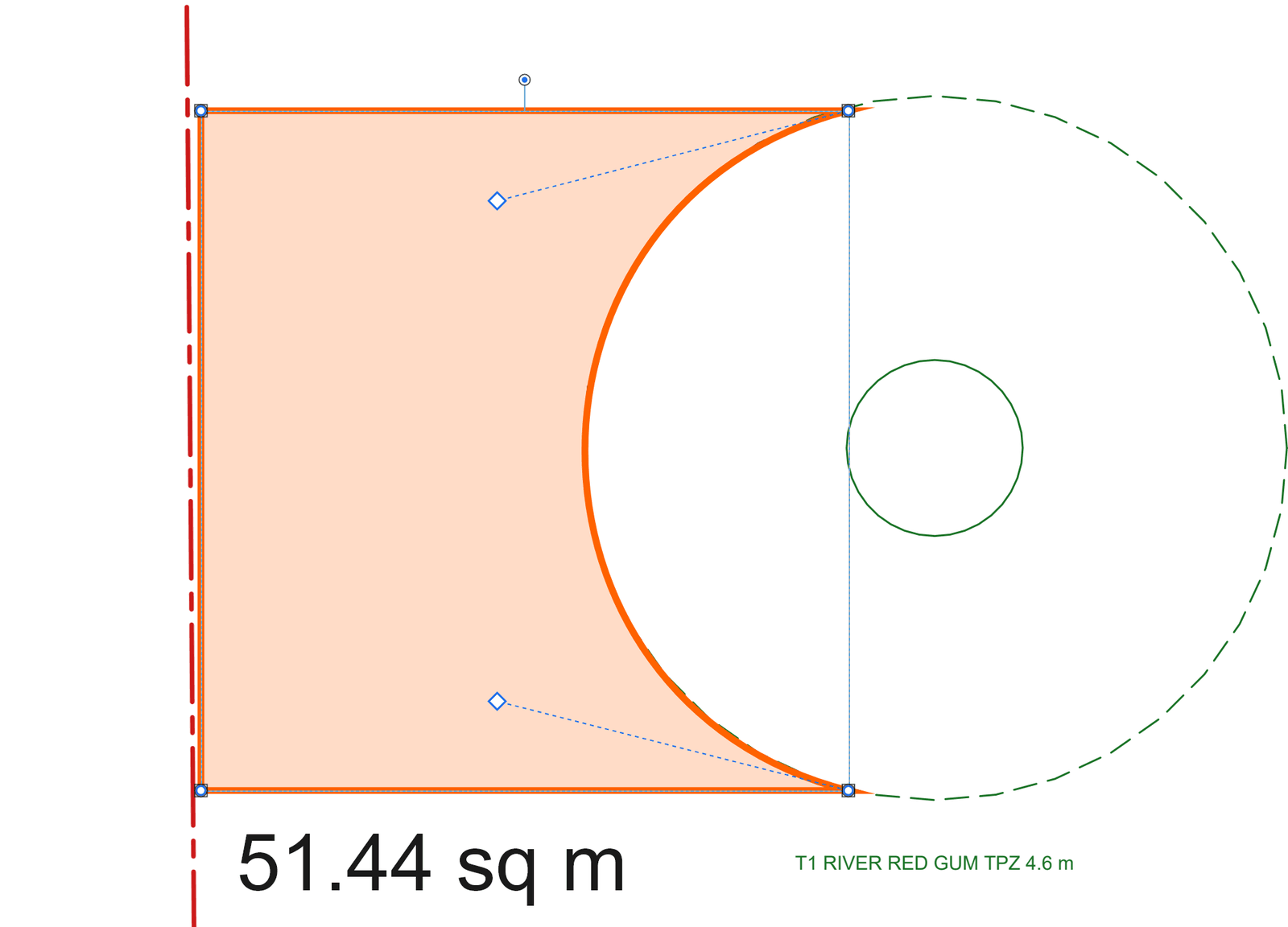
- Drag its two bend handles (the diamonds, each joined to its corner by a dashed line) to shape it. The length or area follows as you drag.
Good to know
- Each handle moves on its own, so a curve can be lopsided or S-shaped.
- Curve several sides by right-clicking each one in turn.
- Undo takes back a whole reshape in one step.
Keys
| What | Keys |
|---|---|
| Undo a reshape | Ctrl+Z |